Scope of this article. This procedure was performed to validate a newly configured NLS infrastructure. It demonstrates the basic archiving path and the relationship between SAP HANA tables, SAP IQ tables, virtual tables, and BW queries. It is not presented as a complete production archiving strategy.
1. Introduction
This article describes a basic procedure for creating an archiving process for an SAP BW InfoProvider and moving data to Near-Line Storage (NLS). The sequence follows SAP's SAP First Guidance - SAP BW: Implementation SAP-NLS/SDA with SAP IQ 16.x, with additional implementation logic used to complete the validation.
The objective was to confirm that the newly configured NLS infrastructure could receive archived data and that BW queries could still retrieve that data when NLS access was enabled.
2. Source object and baseline
The example uses a custom InfoProvider named ZXXXX_O4, with the CALDAY field as the archiving rule. Before archiving, the SAP HANA table /BIC/AZXXXX_O400 contained records with CALDAY values ranging from 20080101 through 20120430, for a total of 523,680 records.
2.1 Display and aggregate source data
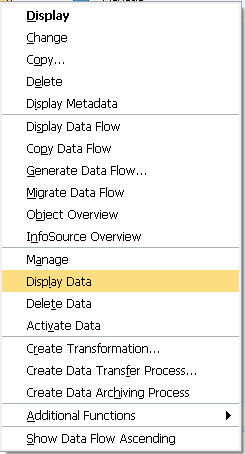
In transaction RSA1, locate the InfoProvider, right-click ZXXXX_O4, and select Display Data.
Select Fld Selectn for Output, clear the existing selections, and select only Calendar day. Execute with F8, return to the previous screen, and then enable:
- Use DB aggregation
- Output number of hits
Set an appropriate value in Max. no. of hits. The example used 2000. Execute again with F8. BW counts the occurrences of each unique value in the CALDAY column and groups the result by that column.
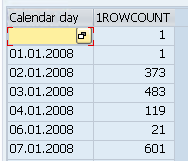
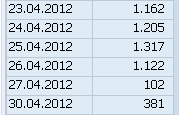
A similar result can be obtained directly from the database with:
SQL query
select CALDAY, count(CALDAY)
from "/BIC/AZXXXX_O400"
group by CALDAY
2.2 Review the SQL generated by BW
Run the query again with Display SQL query selected and Use DB aggregation cleared. Before displaying the data, BW shows a statement similar to the following:
SQL generated without DB aggregation
SELECT
TOP 20000
"O1"."CALDAY" AS "K____070"
FROM
"/BIC/AZXXXX_O400" "O1"
With Use DB aggregation selected, the generated statement includes the count and grouping operations:
SQL generated with DB aggregation
SELECT
"O1"."CALDAY" AS "K____070",
COUNT( * ) AS "K____017"
FROM
"/BIC/AZXXXX_O400" "O1"
GROUP BY
"O1"."CALDAY"
2.3 Establish an RSRT baseline
For comparison after archiving, run a query on the object using transaction RSRT for the period from 01.04.2012 through 30.04.2012. Before archiving, the query returned 22,872 records.

3. Create the archiving process
3.1 Configure the Data Archiving Process
In transaction RSA1, right-click the InfoProvider ZXXXX_O4 and select Create Data Archiving Process.
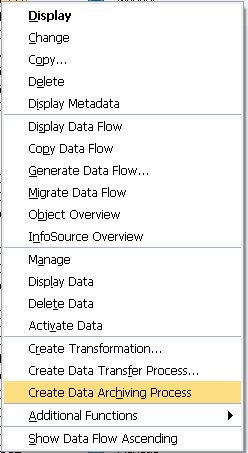
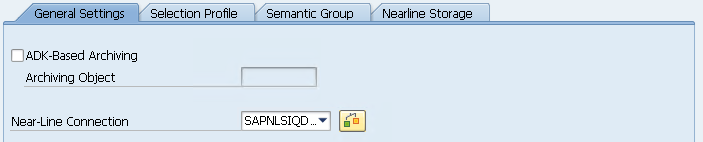
In the configuration window, select the NLS connection previously created in transaction RSDANLCON. Save and activate the configuration.
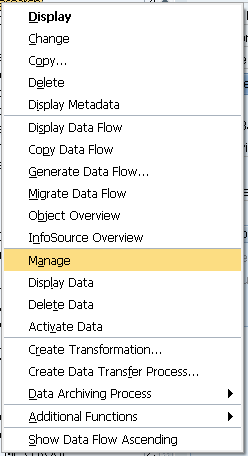
Right-click the InfoProvider again and select Manage.
3.2 Create the archiving request
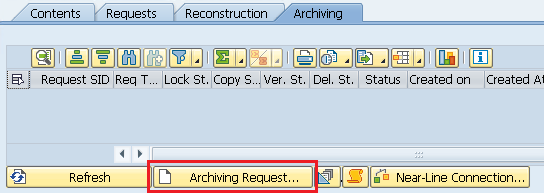
Open the Archiving tab and select Archiving Request.
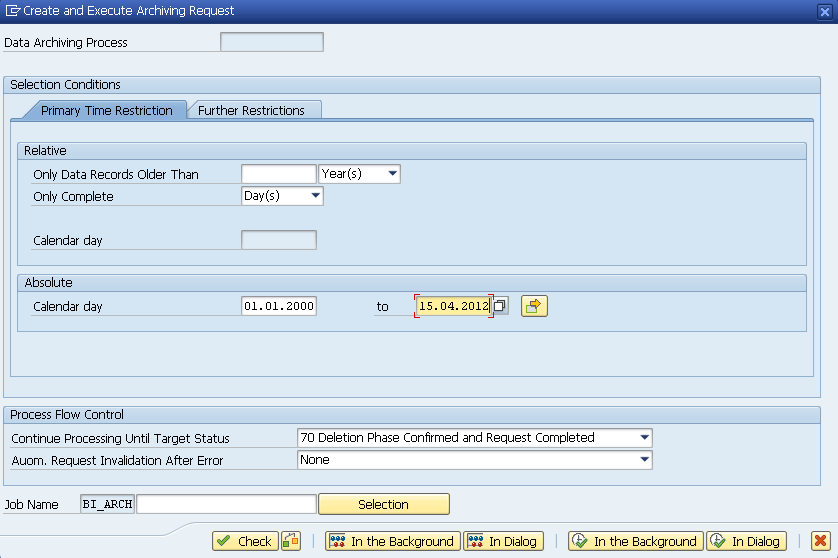
For this example, the absolute date range was set so that all data between 01.01.2000 and 15.04.2012 would be archived to NLS. The cutoff was chosen to make it possible to demonstrate the query changes needed to access both the remaining SAP HANA data and the archived NLS data.
3.3 Execute the request
After entering the selection values, click the first In the Background button. This creates a job that simulates the archiving process.

If the simulation job completes successfully, click the second In the Background button to execute processing through the status selected in Continue Processing Until Target Status.

Operational note. The test ran the complete process through the final phase. In a production environment, it may be preferable to divide the stages - for example, performing the archive copy during business hours and deleting the source data during a lower-activity period.
4. Validate data placement
After the job completed, the records previously stored in SAP HANA table /BIC/AZXXXX_O400 were divided between the SAP HANA source table and SAP IQ table /BIC/OUZXXXX_O4:
/BIC/AZXXXX_O400in SAP HANA: 10,926 records/BIC/OUZXXXX_O4in SAP IQ: 512,754 records- Total: 523,680 records
The total matches the original record count. Table /BIC/OUZXXXX_O4 also exists in SAP HANA as a virtual table that points to the table of the same name in SAP IQ.

The completed request appears in the Archiving tab with the selected date range and the archived record count.

5. Access archived data
5.1 Read NLS data from RSA1
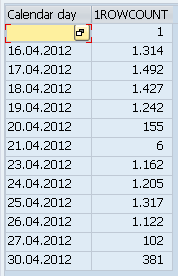
Return to transaction RSA1 and display the data using the same parameters used before archiving. Without NLS access enabled, BW displays only the records that remain in SAP HANA. Because data through 15.04.2012 were archived, the visible result begins on 16.04.2012.
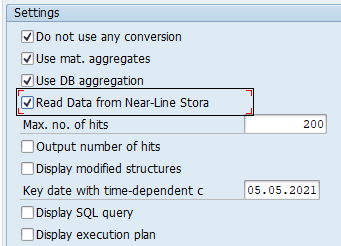
To include the archived records, select Read Data from Near-Line Storage.
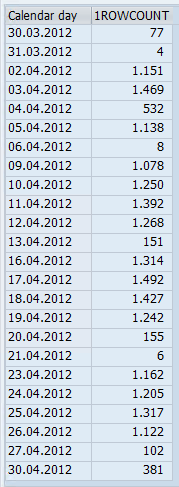
After executing the query again, the result includes the dates stored in both SAP HANA and SAP IQ, matching the pre-archiving validation.
5.2 Review the NLS SQL
With Display SQL query selected and Use DB aggregation cleared, BW now shows two queries. The first still reads the SAP HANA table /BIC/AZXXXX_O400. The second reads the virtual table /BIC/OUZXXXX_O4, which points to SAP IQ:
SQL generated for the NLS virtual table
SELECT
TOP 20000
"W1"."CALDAY" AS "K____070"
FROM
"/BIC/OUZXXXX_O4" "W1"
5.3 Enable NLS in BEx Query Designer
Running the same RSRT query that previously returned 22,872 records now returned only 12,164 records. By default, the query was still reading only the records in SAP HANA.

Open the query in BEx Query Designer. In Properties, open the Extended tab and change Nearline-Storage from Do Not Read Near-Line Storage to Read Near-Line Storage. Save the query.
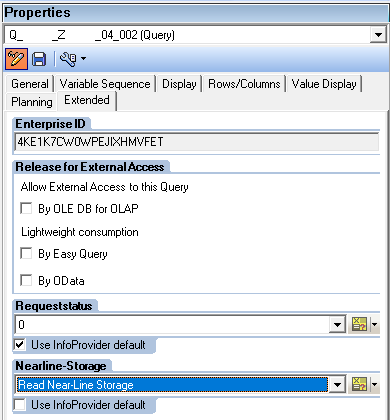
After this change, the query retrieves records from both SAP HANA and NLS and again returns 22,872 records.

6. Conclusion
This procedure demonstrates the basic SAP BW archiving sequence and the relationship between the tables queried by BW and their physical location in SAP HANA or SAP IQ Near-Line Storage.
The validation was successful because the Data Archiving Process moved the selected records to SAP IQ, the total record count remained consistent, and the archived data could be retrieved again after enabling NLS access in RSA1 and BEx Query Designer.